CoachLine Systems

CoachOps Manager

Making coaches easier to manage.

A coach management system for quotes, bookings, drag-and-drop allocation, work tickets, invoices, mobile driver sync, and day-to-day control room planning.

  • QuotesMap pins and mileage pricing
  • PlanningWeekly allocation board
  • TicketsPDF, email, and mobile queue
  • DriversInternet app sync
Explore CoachOps

Main product

CoachOps Manager follows the real quote-to-driver workflow.

CoachOps Manager is the desktop operations app for coach companies that need one place to price hires, convert accepted quotes into bookings, allocate drivers and vehicles, check planned duties, generate work tickets, sync the included Driver App, and keep invoices moving.

The Driver App is included with CoachOps, giving drivers their weekly work, mobile tickets, route pins, and status updates. Coach Connect remains a separate stand-alone communication product for customers who want to view it in more detail.

Products

CoachOps includes the Manager and Driver App.

Operators get the desktop management system and the Driver App together for quoting, planning, work tickets, mobile job updates, and driver status sync. Coach Connect is the separate communication product.

Primary focus

CoachOps Manager

The controller and management system for private hire, schools, contracts, fleet, drivers, customer accounts, document outboxes, approvals, reports, settings, and the included Driver App.

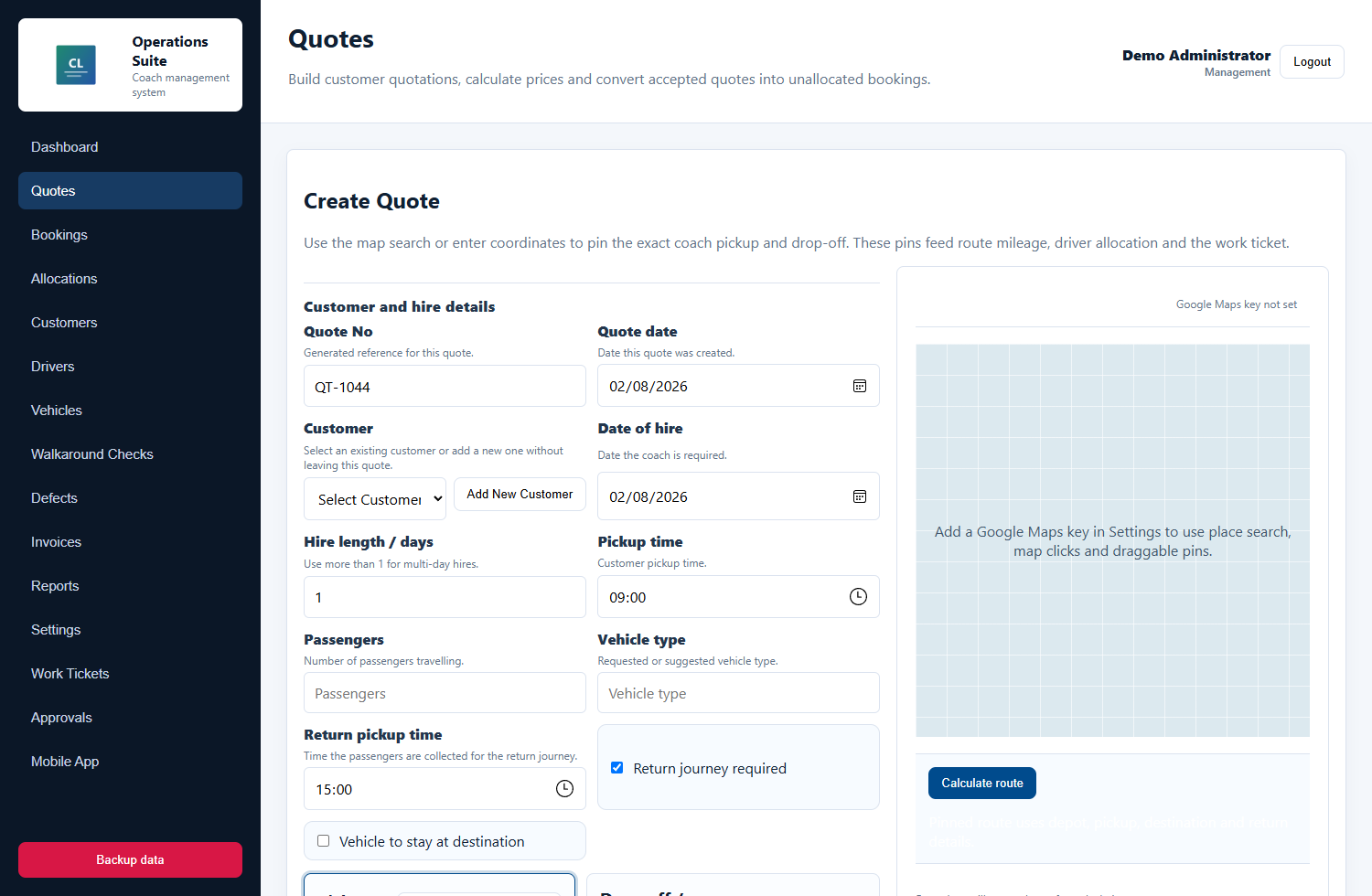
  • Quote screen with pickup and destination pins
  • Booking conversion and weekly allocation board
  • Included Driver App with mobile work tickets and status sync
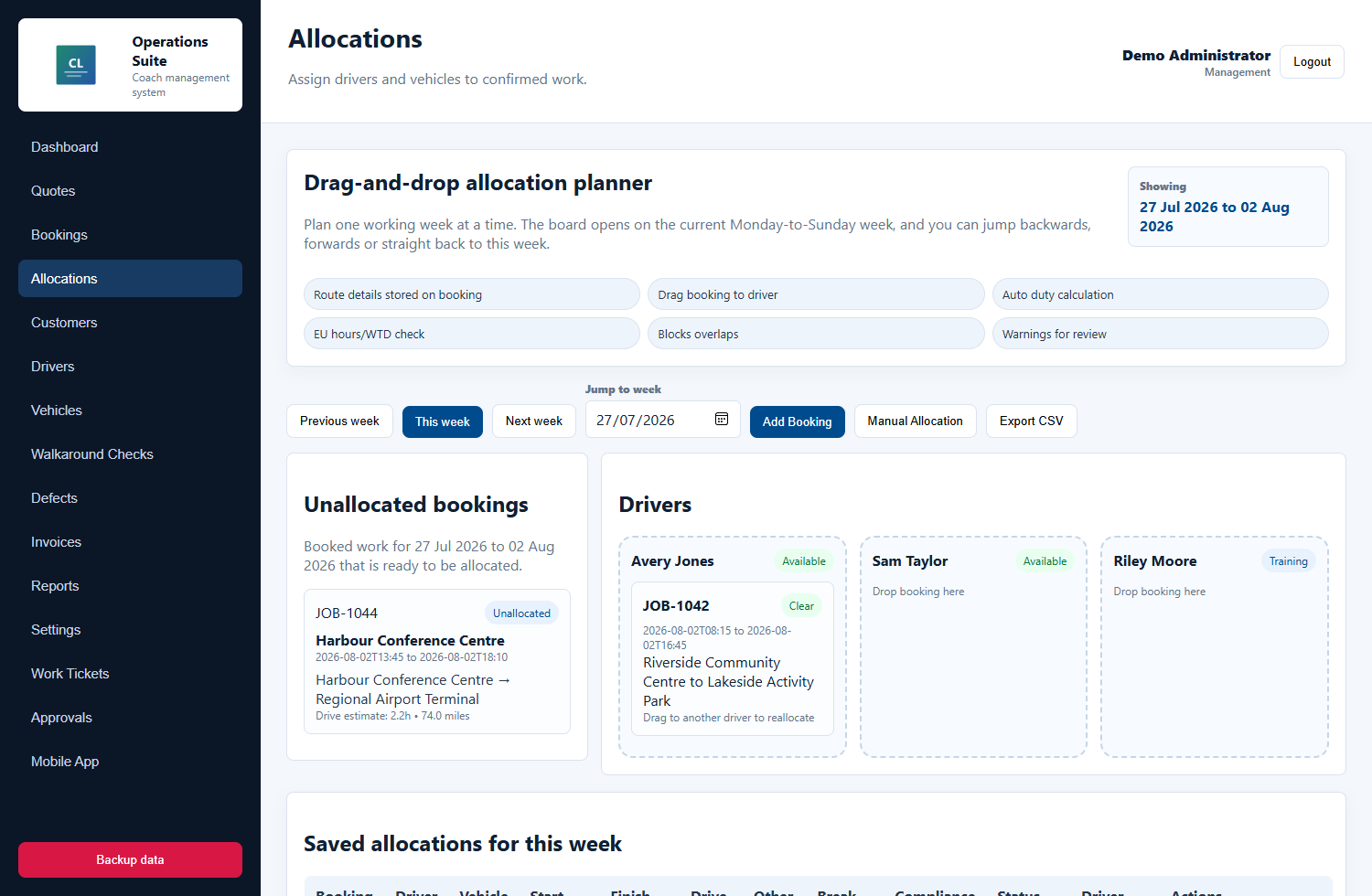
Sanitized CoachOps Manager allocation planner screenshot

Separate product

Coach Connect

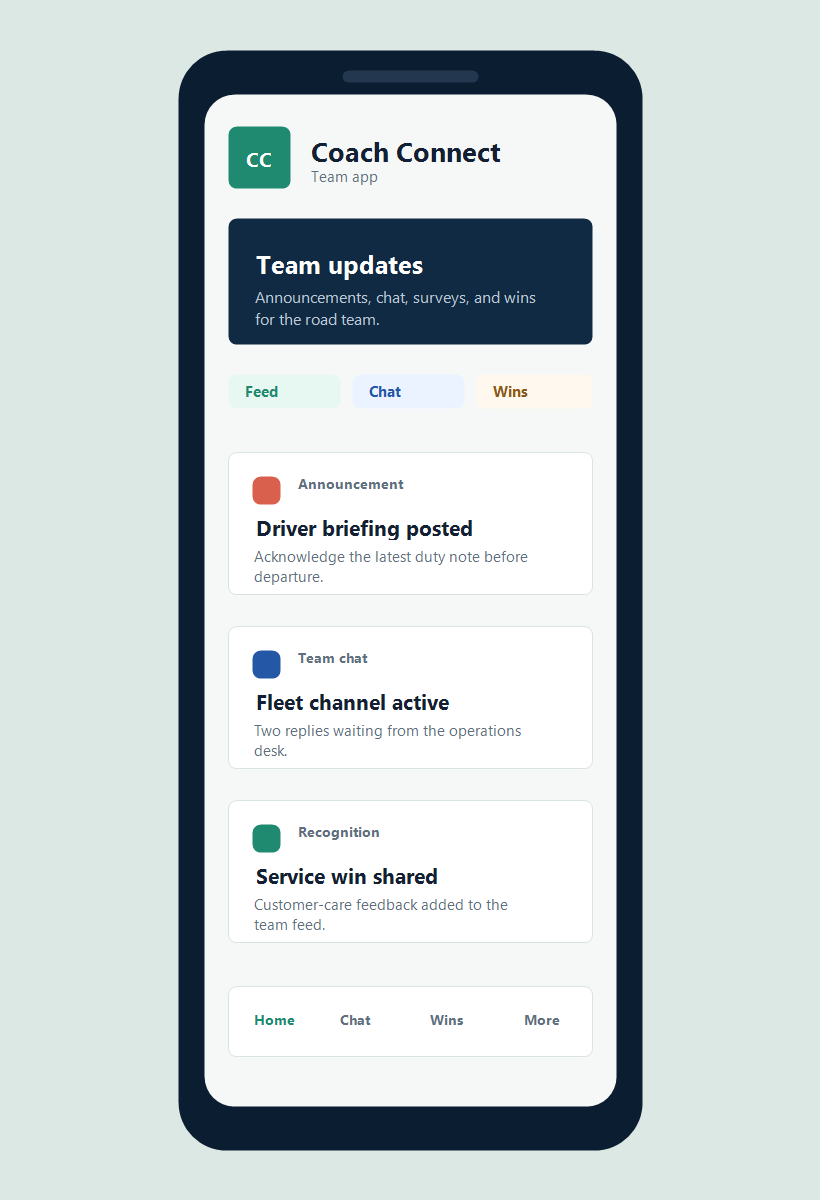
A stand-alone communication app for coach teams that need announcements, chat channels, acknowledgements, surveys, and recognition without the full operations system.

  • Driver and team updates
  • Channels, surveys, and acknowledgements
  • Recognition and engagement
Sanitized Coach Connect mobile app screenshot

CoachOps Manager screenshots

Captured from the real CoachOps Manager and included Driver App builds.

These visuals use generic demo operator data and the CoachLine mark. Customer logos, private contact details, depot details, routes, people, and fleet identifiers have been removed.

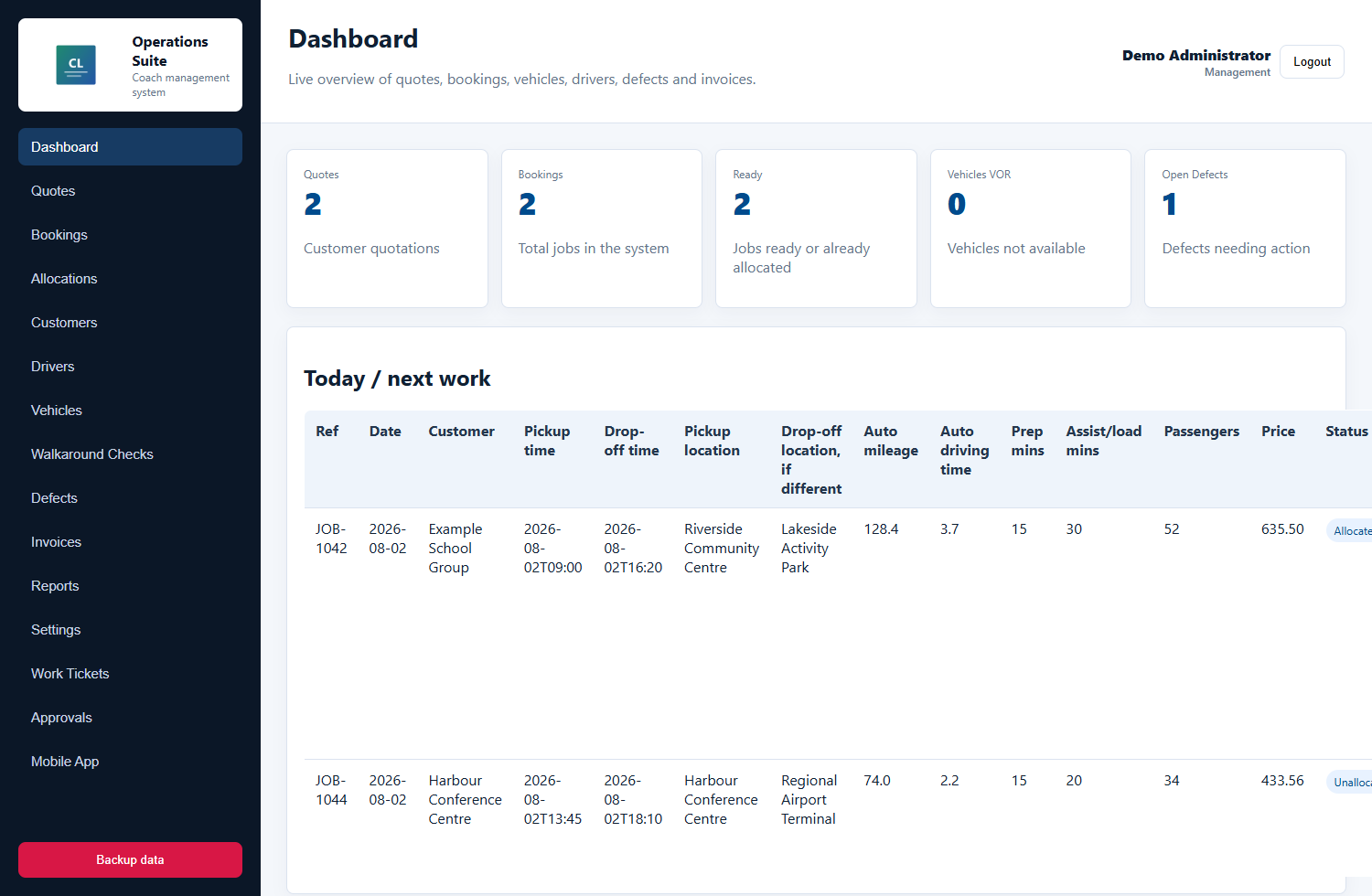
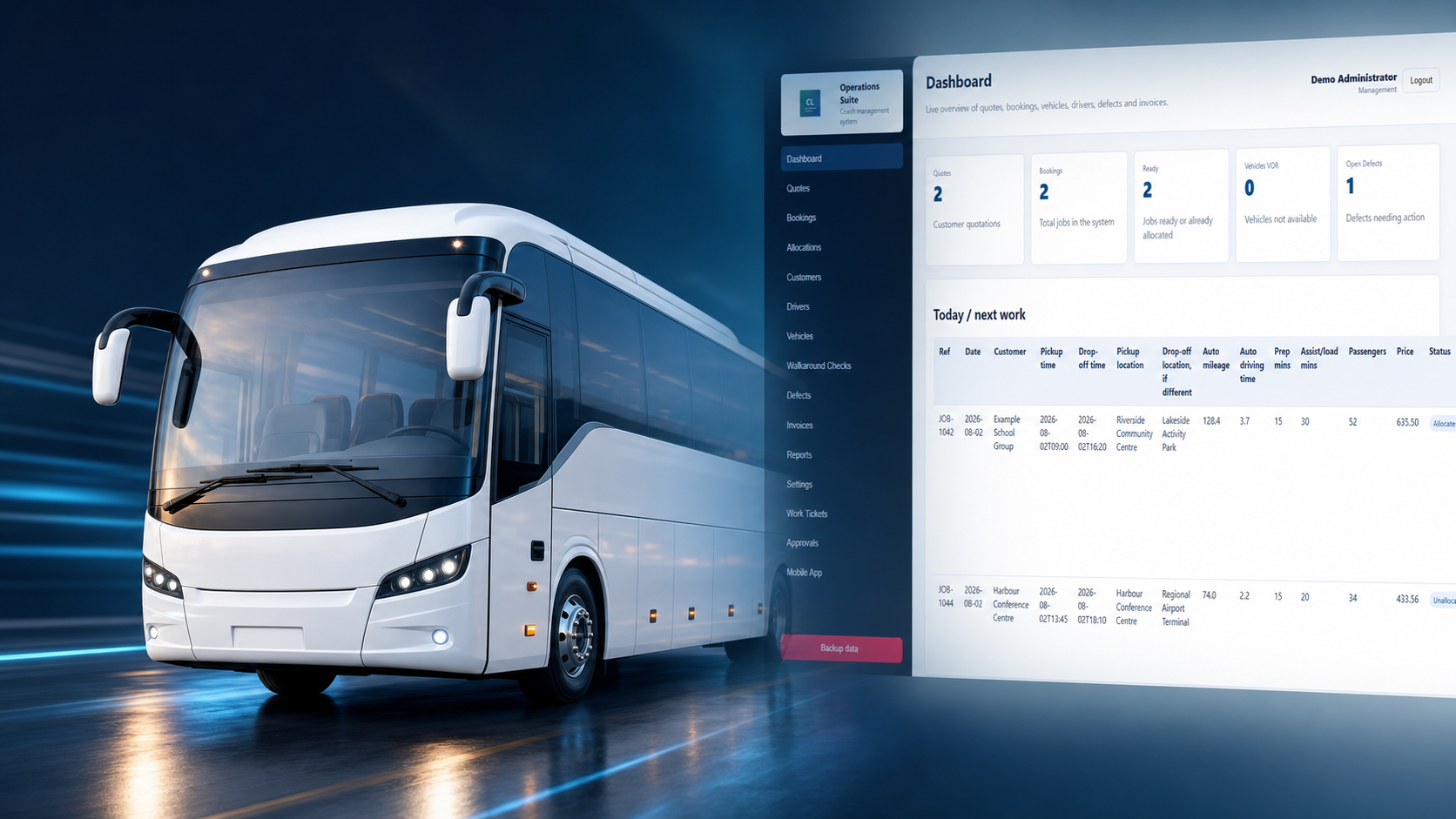
Sanitized CoachOps Manager dashboard screenshot with quotes, bookings, vehicles, defects, and next work
Dashboard view showing quotes, bookings, ready work, vehicle status, defects, and the next jobs in the system.

CoachOps Manager capabilities

Built around the operating loop.

Quotes and pins

Build quotes from hire date, pickup time, passengers, pickup and destination pins, return journey, depot mileage, vehicle utilisation, and price settings.

Bookings

Convert accepted quotes into unallocated bookings, keep customer account details attached, and track approval details where limits need manager sign-off.

Allocation board

Plan the week by dragging bookings to driver columns, assigning vehicles, reviewing duty start and finish times, and preventing overlaps.

Compliance checks

Check planned driving, working time, breaks, weekly and fortnightly totals, shift spread, and rest gaps before a duty is saved.

Work tickets

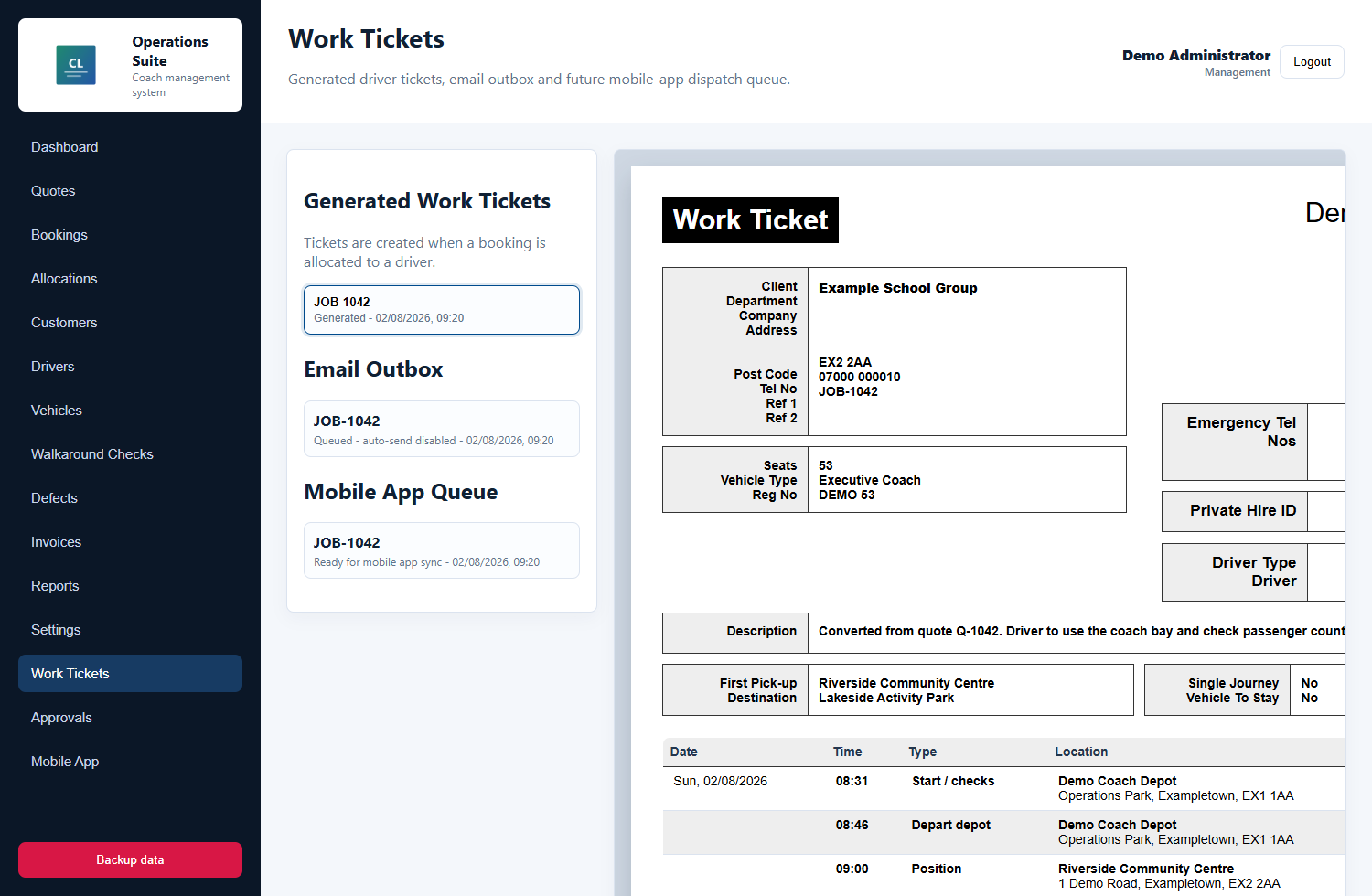
Generate driver work tickets from allocated bookings, including customer, vehicle, route, pinned locations, passenger numbers, notes, and itinerary rows.

Invoices and reports

Create draft invoices from completed jobs, keep document outboxes visible, and use reports to review drivers, fleet, customers, and invoice value.
Included with CoachOps

Driver App included with CoachOps

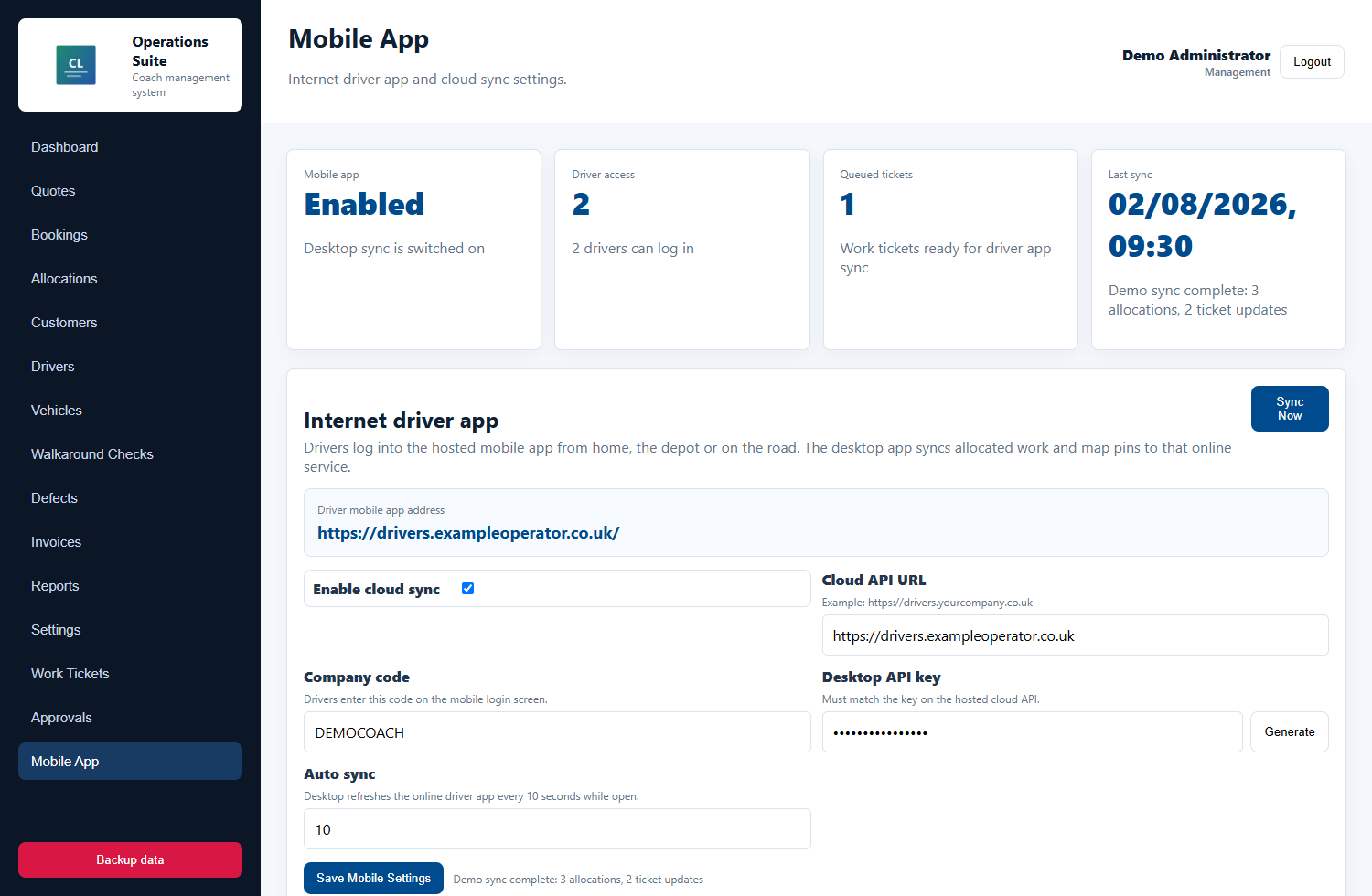
The Driver App is the mobile side of CoachOps, included with the Manager workflow. Drivers log into the hosted app, see their allocated week, open each work ticket, use navigation links for pinned locations, and send status updates back to the office.

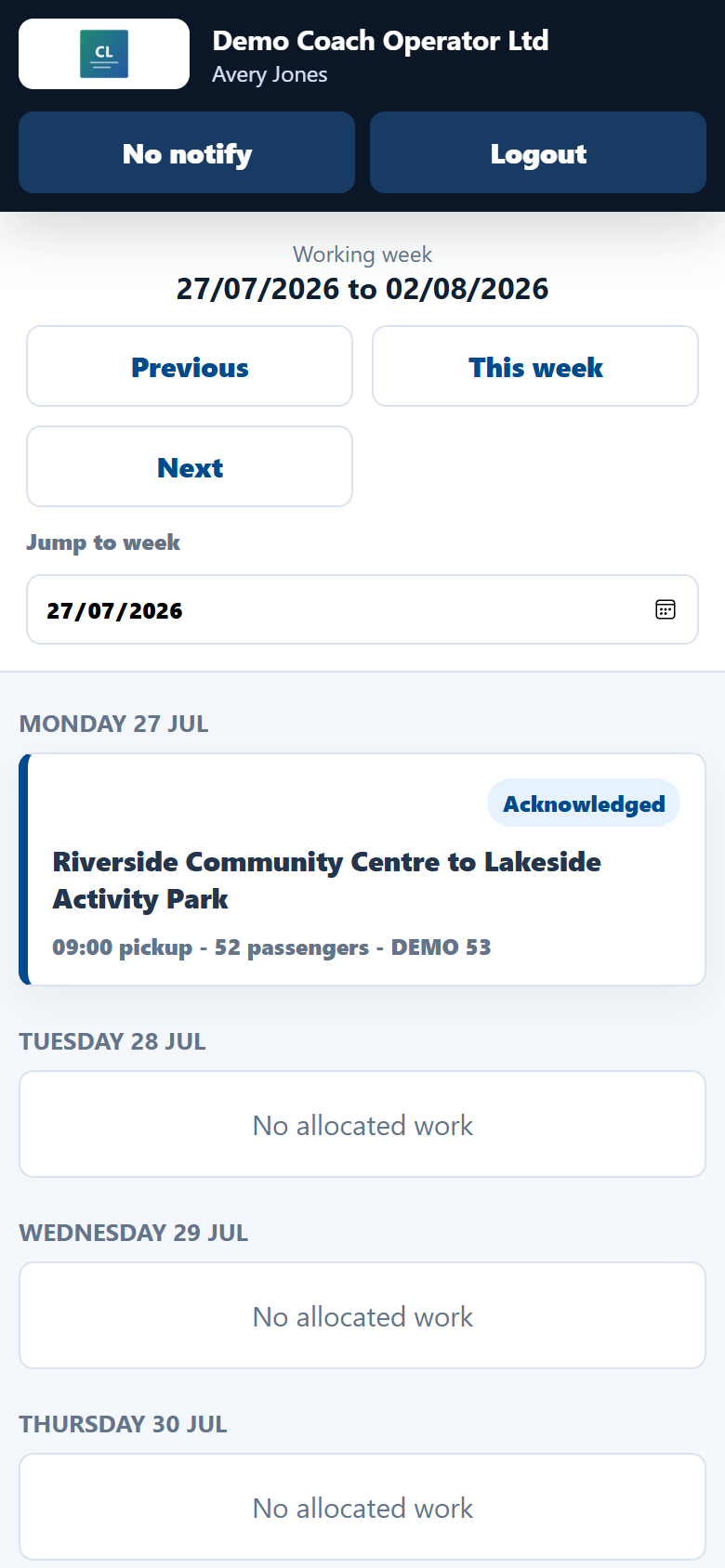
Weekly job list

Each driver sees only their own allocated work, grouped by working week and job status.

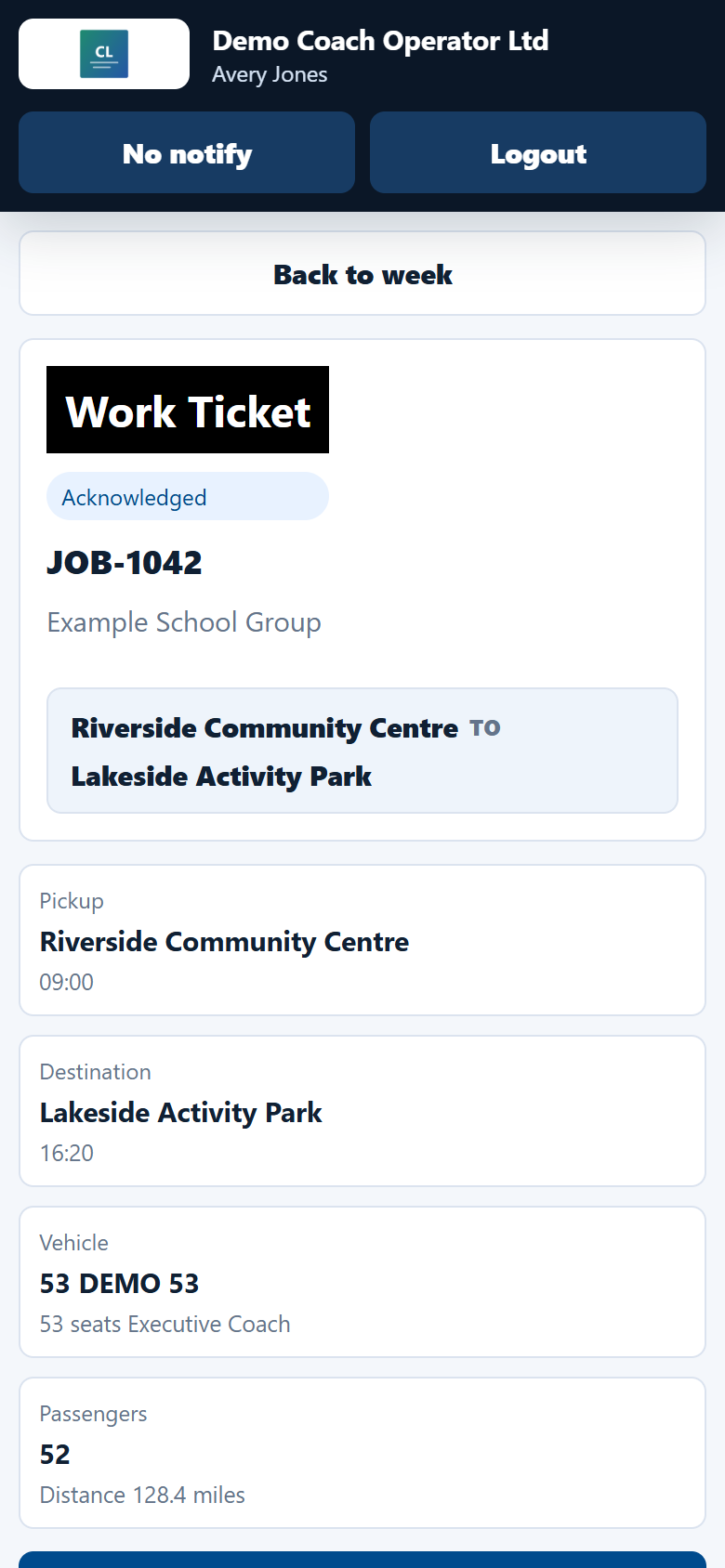
Mobile work ticket

Pickup, destination, vehicle, passengers, itinerary, PDF ticket, route pins, and driver notes are available from the phone.

Status sync

Acknowledge, start, delay, and complete updates can sync back to the Manager through the hosted API.

Sanitized CoachOps Driver App weekly job list screenshot Sanitized CoachOps Driver App work ticket screenshot

Separate app

Coach Connect

Coach Connect is its own stand-alone communication product for coach operators that want a branded mobile space for the wider team. It is separate from CoachOps, so a customer can choose the communications app on its own.

Mobile updates

Share announcements, driver reminders, and urgent team messages in a simple mobile feed.

Channels and chat

Keep driver teams, fleet, reservations, and office staff aligned without relying on scattered personal messages.

Engagement

Run surveys, collect acknowledgements, and recognise good work from the road or office.

Sanitized Coach Connect mobile app screenshot with generic team updates

Workflow

From enquiry to driver and invoice.

CoachOps Manager reduces repeated admin by keeping quote details, route pins, customer records, planning, driver paperwork, and invoice data connected through one flow.

01

Quote the movement

Add hire details, pickup and destination pins, passengers, return journey, mileage rate, extras, VAT, and customer notes.

02

Convert and plan

Accepted quotes become bookings ready for allocation, with customer account data and approval history kept on the job.

03

Allocate and check

Assign the driver and vehicle, then review planned driving, working time, breaks, overlap checks, and duty spread.

04

Ticket, sync, invoice

Create the work ticket, queue it for the Driver App, collect driver updates, and generate the invoice when the job is complete.

Sanitized public assets

Real app screens, generic operator data.

The website uses screenshots captured from the actual Manager and included Driver App builds, but the public assets use generic names, demo records, generic contact details, and the CoachLine mark.

  • Previous customer branding removed from public images
  • Generic operator, route, driver, and vehicle records
  • No private emails, phone numbers, depot details, or internal notes

Ready for a walkthrough?

Show operators how CoachOps can make coaches easier to manage.